ComboCurve: Discounting CC vs ARIES
Discounting CC vs ARIES
Which cashflow discounting methods match between ComboCurve and ARIES?
- In ComboCurve, choose your Project and Scenario and go to General Options and set:
- Discounting Method to Yearly (N=1), and
- Cash Accrual Time = Mid Month
- In ARIES under Economics...Setup...Current Input Settings, Present Worth Component...Discount Method... choose Monthly (and ensure Discount Date = Effective Date)
Because the ARIES Monthly discounting method discounts from mid-month, regardless of timeframe settings, the Yearly (N=1) with Mid-Month discounting has been found empirically to match ARIES. For a detailed comparison of discounting methods, please see the attached spreadsheet. 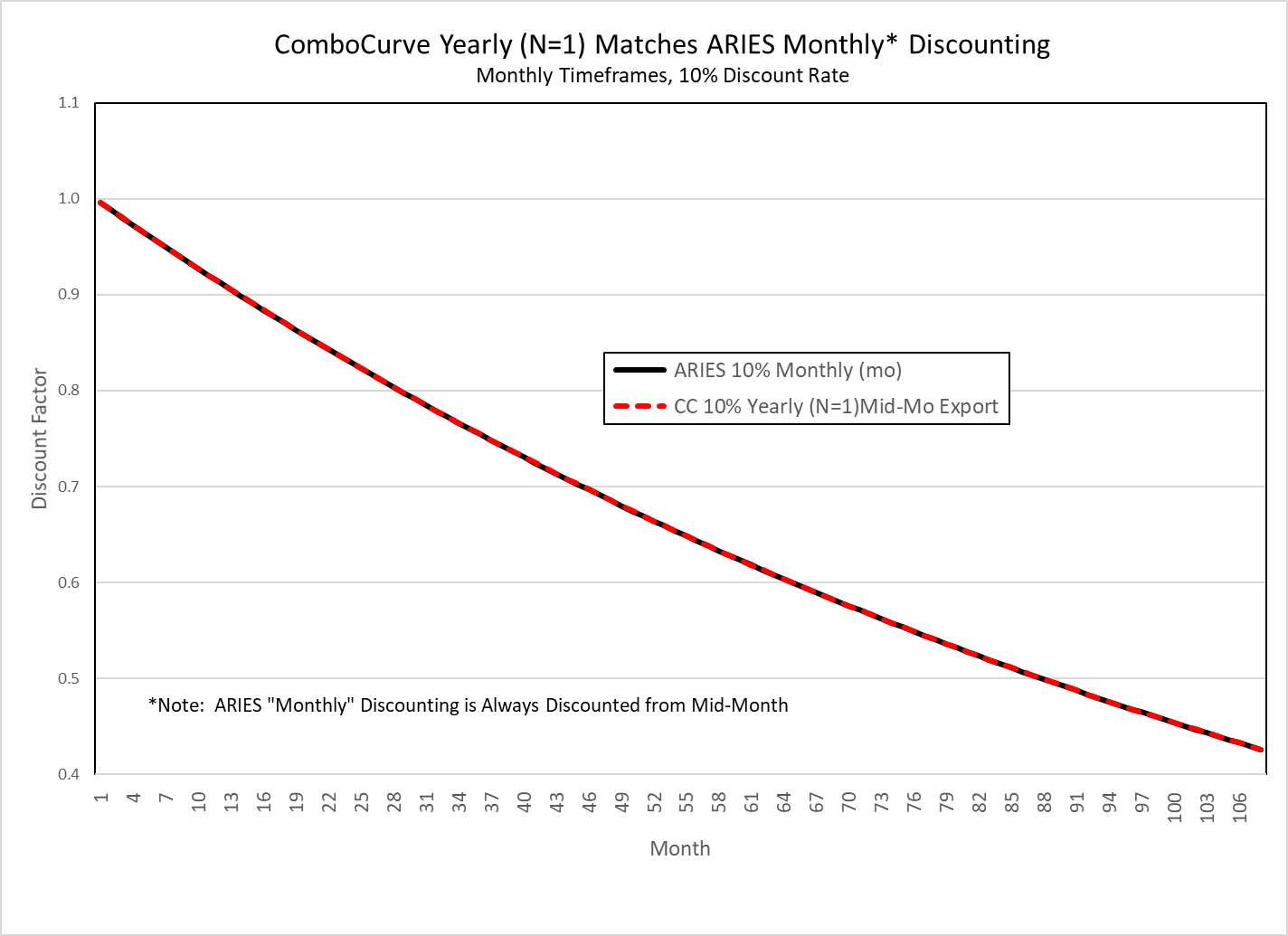
Excel Spreadsheet Comparison of Discount Factors from ComboCurve and ARIES
- This macro-enabled Excel workbook contains actual output discount factors using each of the various methods from ComboCurve and ARIES, along with rollups to yearly.
- If the above link does not work, navigate here and download the attachment.
- Also included are cell formulas that demonstrate how each application calculates discounting.
Related Articles
ComboCurve: Scenario Tooltip Overview Article
Scenario Tooltip Overview Article Scenario Page (Overview of Main Screen) Top Left Hamburger Icon - to navigate to all CC sections Green Scenario Name - Quick navigation to the project landing page Top Right Guy Icon - Change name, password or log ...ComboCurve: ARIES Import/Export Conversions – Currently Unsupported Items
The current version of the front-end ARIES import interface handles the majority of ARIES database imports and exports. Some of the more complex and less commonly used syntax, especially certain overlay definitions, might not be currently handled, ...ComboCurve: Import ARIES Database
Import ARIES Database For a video tutorial on import/exporting and QC tieouts of econ see the following article - ComboCurve: ARIES Conversions Also to see items unsupported see the following article - ComboCurve: ARIES Import/Export Conversions – ...ComboCurve: Export Scenario to ARIES
Export Scenario to ARIES When exporting there are two types of exports Exports entire contents of economics into an MS Access database for use in ARIES, or A CSV file that can be copied into the AC_ECONOMIC table and a TXT file that can be imported ...ComboCurve: ARIES - Importing and Exporting Forecasts via .txt in the Forecast Module
Importing and Exporting Forecasts to ComboCurve from ARIES Importing Forecast to ComboCurve From ARIES Here's a video showing the workflow: https://www.loom.com/share/ff233c5af4c34e7fa33db9711dd5a8e5 ComboCurve has a method to ingest forecasts (only, ...